31+ Maintenance Services + Special Functions
With 31+ service and reset functions, K7 is equipped for everything from routine maintenance to advanced vehicle calibration. Functions include Oil Reset, EPB Reset, BMS Reset, ABS Bleeding, SAS Calibration, Throttle Relearn, Injector Coding, SRS/Airbag Reset, TPMS Reset, AdBlue Reset, Gear Learning, Crankshaft & Camshaft Relearn, AFS Headlamp Calibration, Suspension Reset, Coolant Bleeding, Transmission Adaptation, Seat Calibration, Sunroof Initialization, Transport Mode, and more. One tool covers a wide range of workshop jobs while helping reduce dependence on separate service equipment.
Advanced ECU Coding for Vehicle Customization & Module Replacement
Take on coding jobs normally associated with higher-level workshop scanners. K7 supports advanced ECU coding for Volkswagen, Audi, BMW, Mercedes-Benz, Porsche, and Seat, allowing supported vehicles to unlock hidden features, customize factory settings, configure replacement modules, and optimize vehicle functions. Online and offline coding capability gives technicians greater flexibility when completing module-related repairs, retrofits, and vehicle personalization without immediately turning to dealer equipment.
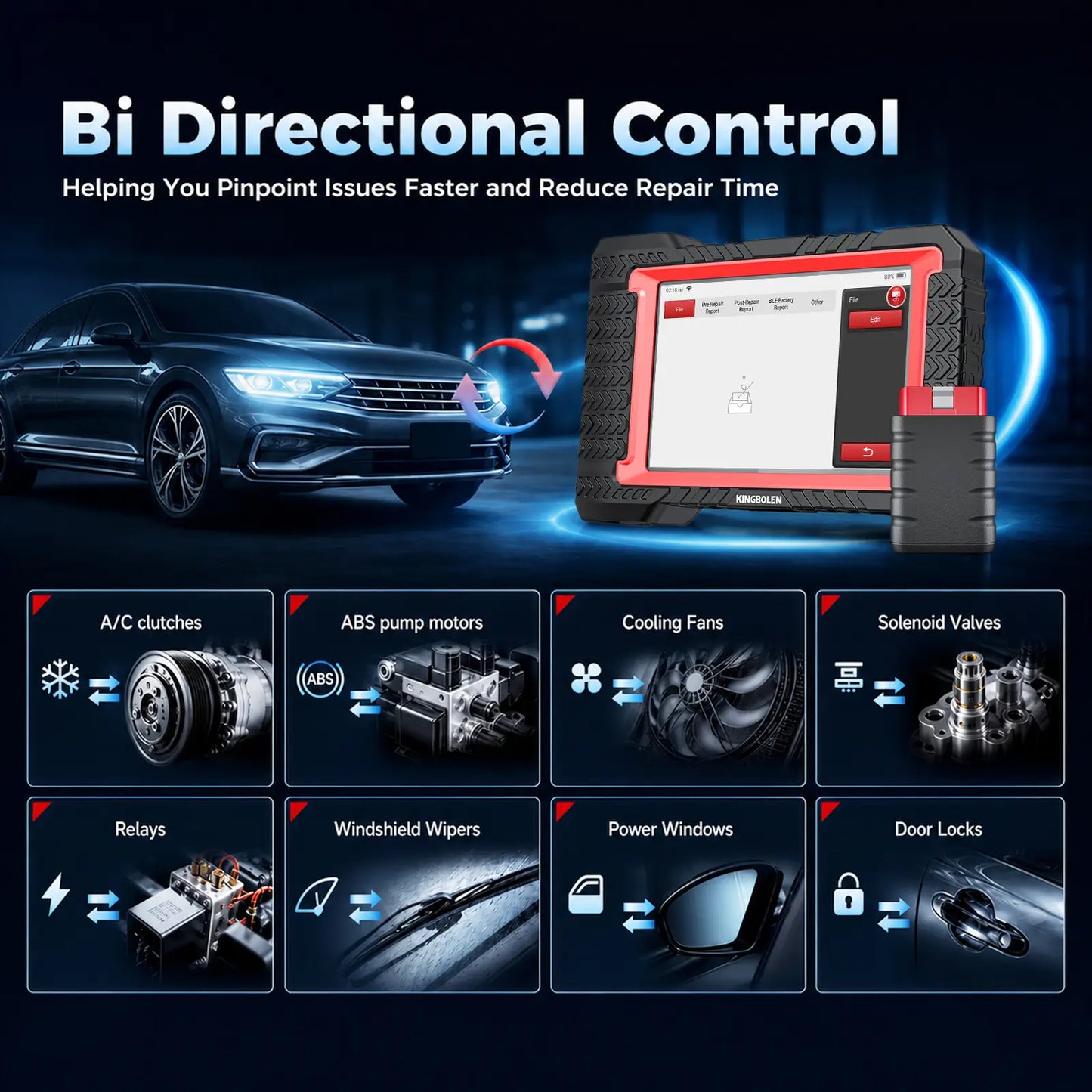
Bi-Directional Control for Faster Fault Finding
Test components instead of guessing which part has failed. K7 sends commands directly to supported vehicle modules to activate fuel injectors, A/C clutches, ABS pump motors, cooling fans, solenoid valves, relays, windshield wipers, power windows, door locks, sunroofs, and other actuators. By watching how the component responds to a direct command, technicians can verify operation, narrow down the source of a fault, confirm repairs immediately, and reduce unnecessary disassembly or parts replacement.
Full-System Diagnostics for 100+ Vehicle Makes
Get a complete view of vehicle health instead of stopping at engine codes. K7 delivers OE-level diagnostics for 100+ vehicle makes and can access available systems including PCM, ECM, ABS, SRS, EPS, BCM, TPMS, SAS, A/C, and more. Read and clear DTCs, retrieve ECU information, view freeze-frame records, monitor live sensor data, and analyze system conditions from one tablet—giving technicians the information needed to make faster and more accurate repair decisions.
One-Touch AutoVIN + Complete Vehicle Scan
Save time before the diagnostic work even begins. With one-touch AutoVIN, K7 automatically identifies supported vehicle information and moves directly into the correct diagnostic software. From there, a complete system scan can quickly identify fault codes across available control modules, reducing repetitive manual vehicle selection and giving technicians a faster path from vehicle connection to an overall health assessment.
Monitor Four Live Data Streams at Once
See how multiple systems behave together instead of checking parameters one by one. K7's 4-in-1 live data graphing displays multiple vehicle parameters simultaneously, making it easier to compare sensor readings, identify abnormal trends, and analyze performance in real time. Built-in recording and playback lets technicians capture data while a fault is occurring and review it later—especially useful for intermittent problems that are difficult to reproduce in the workshop.
PMI Matching + Component Matching & Calibration
Go beyond code reading when replacement components need to work correctly with the vehicle. K7 supports Ford/Lincoln/Mazda PMI matching along with component matching and calibration for supported VW, Skoda, Seat, BMW, GM, Ford, Mazda, Fiat, Honda, Nissan, Hyundai, and Kia vehicles. It also provides Power Balance Testing for Ford and GM, giving technicians additional tools for module replacement, component setup, and deeper troubleshooting work.
FCA AutoAuth Access for Secure Gateway Vehicles
Work on newer FCA vehicles without being blocked by Secure Gateway protection. K7 supports FCA AutoAuth, providing authorized access to supported Chrysler, Dodge, Jeep, RAM, Alfa Romeo, and Fiat vehicles equipped with SGW systems. Once authorized, technicians can perform supported diagnostics and service functions that would otherwise be restricted behind the gateway. An active AutoAuth account is required and is purchased separately through the AutoAuth platform.
CAN FD Support for Newer Vehicle Platforms
Stay compatible with newer vehicle communication architectures. K7 supports CAN FD together with standard OBDII and EOBD protocols, allowing it to communicate with compatible modern vehicle systems that use faster, higher-capacity network communication. This gives workshops a more future-ready diagnostic platform as newer vehicles continue to adopt advanced electronic architectures.
Generate & Share Professional Diagnostic Reports
Turn scan results into useful repair documentation with a single tap. K7 can generate professional diagnostic reports containing vehicle and fault information, helping technicians document vehicle conditions and explain findings more clearly to customers. Reports can be shared through Bluetooth or email, making it easier to keep repair records, send results to customers, or review diagnostic information away from the vehicle.
Expand with 5 Optional Diagnostic Modules
Turn K7 from a diagnostic tablet into a broader vehicle inspection platform as your workload grows. Five optional modules are available: a Wireless Printer for customer-ready reports, Digital Videoscope for hard-to-reach inspection areas, Oscilloscope for waveform and electrical analysis, TPMS Programming Tool for sensor activation/programming/relearn, and Bluetooth Battery Tester for battery, starter, and charging-system checks. Add only the capabilities your workshop actually needs.
Lifetime Free Updates — No Annual Subscription
Keep K7 current without adding another annual software bill to the workshop. Lifetime free software updates provide ongoing access to expanded vehicle coverage, software improvements, bug fixes, and newly released diagnostic functions. With no annual update fee or recurring software subscription required for K7 updates, the scanner continues to deliver long-term value well beyond the initial purchase.
Wireless Diagnostics with Bluetooth + Dual-Band Wi-Fi
Keep the diagnostic workflow wireless from vehicle communication to software updates. K7 uses Bluetooth for convenient device communication and includes dual-band Wi-Fi (2.4GHz / 5GHz) for faster, more stable network access. Whether pairing with diagnostic hardware, downloading software, sharing reports, or updating vehicle coverage, wireless connectivity helps keep daily workshop operation flexible and efficient.
7-Inch Android 10 Tablet Built for Daily Workshop Use
K7 combines professional diagnostic software with hardware designed for daily automotive work. The tablet features a 7-inch capacitive touchscreen, Android 10.0, 1.8GHz quad-core processor, 2GB RAM, 32GB storage, 6000mAh rechargeable battery, and 13MP rear camera. The combination delivers smooth navigation, room for diagnostic software and reports, extended mobile use, and an integrated camera for capturing vehicle information or repair documentation.