コンテンツに進む
商品情報にスキップ
1 6

THINKCAR ThinkDiag Bidirectional Bluetooth OBD2 Scanner

$89.00 USD
$89.00 USD
セール 売り切れ
配送料はチェックアウト時に計算されます。

• Bidirectional Control & ECU Coding
• Full system diagnostic
• 15+ service reset functions
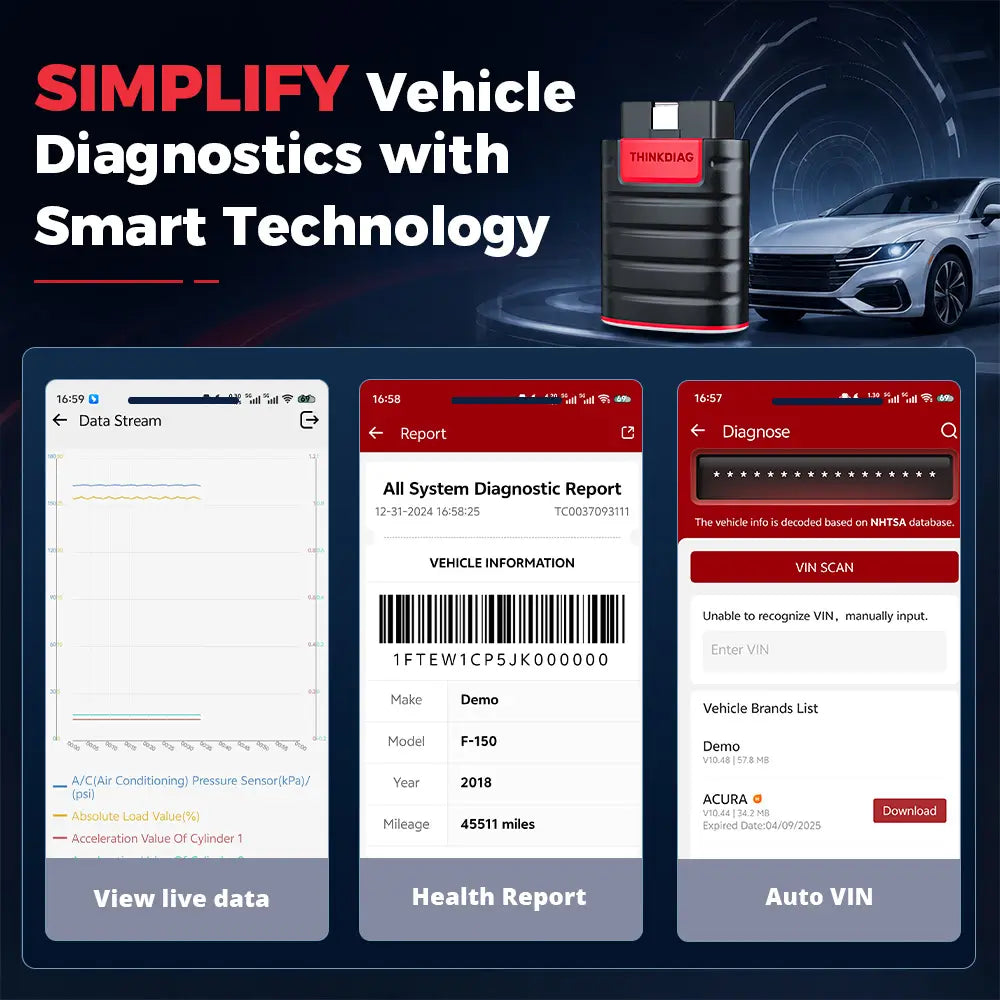
• 4-in-1 Data Graph+Print report + Auto VIN
• Support 120+ Car
• Support 9+ languages
• All Software: 1 year free update

  • 30-Day Money-Back Guarantee
  • Free Shipping on Every Order
  • Free technical guidance
  • 24/7 Hassle-Free After-Sales Support

Please note that the diagnostic features available with vehicle scanners may vary depending on the make, model, and year of your vehicle. While these scanners offer a wide range of functions, some vehicles may use unique systems or special protocols that can affect which features are available. To help avoid any inconvenience, we recommend carefully reviewing the product details or contacting us to confirm compatibility before making your purchase.

  • Standard Shipping: Estimated delivery time is 5-7 business days.
  • Expedited Shipping: Choose expedited shipping for faster delivery, with an estimated arrival within 2-3 business days.

For international orders, please note that shipping times may vary based on the destination and local customs processes. Rest assured, we strive to provide accurate shipping estimates and keep you informed every step of the way.

詳細を表示する
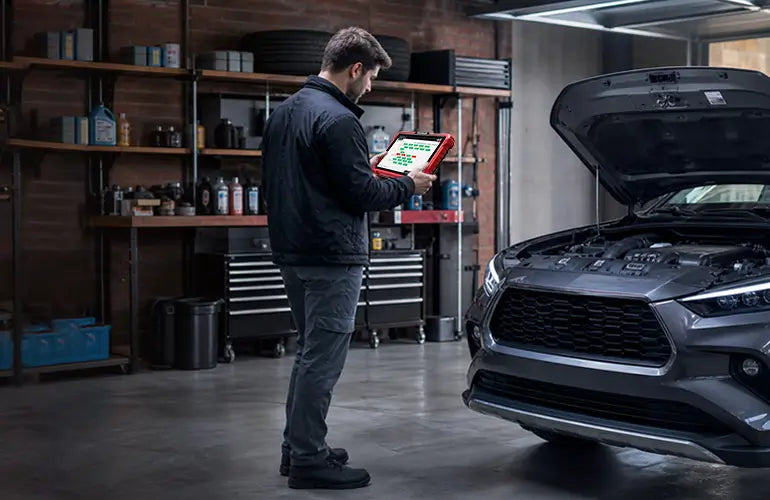
Designed for DIY mechanics and small auto repair shops, ThinkDiag is a compact, easy-to-use diagnostic scanner that delivers reliable vehicle diagnostics.
BI-DIRECTIONAL TEST + ECU CODING
Equipped with bidirectional control, ThinkDiag can send commands directly to ECUs to activate actuators and vehicle components for functional testing. Active tests allow you to quickly determine whether a component or control circuit is operating correctly, reducing diagnostic time and eliminating unnecessary parts replacement. For supported makes and models, ECU coding supports module adaptation after replacement and enables selected customization features. Whether you're servicing your own vehicle or working in a repair shop, ThinkDiag provides professional-grade diagnostic performance in a portable scan tool.
All-System Bluetooth OBD2 Scanner
Get complete vehicle diagnostics with ThinkDiag's all-system scanning capabilities. It supports full diagnostics for the Engine, Transmission, ABS, SRS, BCM, TPMS, SAS, BMS, A/C, and other onboard systems. Read and clear fault codes, view live data, access ECU information, perform bidirectional active tests, and complete essential maintenance functions—all from one powerful scan tool. Compatible with most OBD-II vehicles built from 1996 onward across 120+ vehicle brands, ThinkDiag comes with 1 year of free software updates and supports 9+ languages for a smooth diagnostic experience worldwide.
15+ Maintenance Functions
Go beyond basic code reading with professional service functions including: Engine Oil Lamp Reset / Injector Coding / ABS Bleeding / DPF Regeneration / Throttle Adaptation / Brake Reset / TPMS Reset / SAS Reset / Battery Matching / Immobilizer Matching / Gearbox Matching / AFS Matching / Suspension Matching / ETS Reset / Sunroof Initialization. ThinkDiag gives technicians the tools needed for efficient vehicle maintenance and repair.
Smart Diagnostics Made Simple
Automatically identify vehicles with Auto VIN technology and generate detailed vehicle health reports after diagnosis. View live data through intuitive graphs, record performance changes, and analyze abnormal parameters to diagnose issues faster and improve repair efficiency.

How to Get Started with THINKDIAG
Follow these simple steps to begin diagnosing your vehicle:
Step 1: Download and install the ThinkDiag+ App from your app store.
Step 2: Create a ThinkDiag account and sign in to the app.
Step 3: Activate your THINKDIAG device by following the in-app instructions.
Step 4: Connect THINKDIAG to your vehicle's OBD-II port, turn the ignition on (engine off), and pair the device via Bluetooth. Download the required vehicle software, then start your diagnostic scan.

Model:Thinkdiag
Working Voltage: 9~18V
Working Current: ≤130mA
Working Temperature: 14℉~122℉(-10℉-50℉)
Storage Temperature: -4℉~140℉(-20℉-60℉)
Size: 2.1in*3in*1.1in
Net Weight: 2.80oz

1. What vehicles are compatible with THINKDIAG?

THINKDIAG works with most OBD-II vehicles built from 1996 onward and supports 120+ vehicle brands worldwide. Vehicle coverage and available functions may vary depending on the vehicle make, model, year, and system configuration.

2. Can THINKDIAG perform full-system diagnostics?

Yes. THINKDIAG supports all-system diagnostics for major vehicle systems, including Engine, Transmission, ABS, SRS, BCM, TPMS, SAS, BMS, A/C, and more. It can read and clear fault codes, display live data, access ECU information, perform active tests, and support maintenance functions on compatible vehicles.

3. Does THINKDIAG support bidirectional control and active tests?

Yes. THINKDIAG features bi-directional control, allowing the scanner to send commands to supported ECUs to activate vehicle components and perform functional tests. This helps technicians verify whether a component or control circuit is working properly and reduce unnecessary part replacements.

4. Can THINKDIAG perform ECU coding?

THINKDIAG supports ECU coding for selected vehicles and modules. ECU coding availability depends on the vehicle make, model, year, and specific control module. Not all vehicles support ECU coding functions, so please confirm compatibility before use.

5. What maintenance functions does THINKDIAG support?

THINKDIAG provides 15+ professional maintenance functions, including:

Oil Service Reset
Injector Coding
ABS Brake Bleeding
DPF Regeneration
Throttle Adaptation
Brake Reset
TPMS Reset
SAS Reset
Battery Matching
Immobilizer Matching
Gearbox Matching
AFS Matching
Suspension Matching
ETS Reset
Sunroof Initialization

Available functions may vary by vehicle.

6. Is THINKDIAG suitable for DIY users or professional mechanics?

THINKDIAG is designed for DIY mechanics, advanced vehicle owners, and small auto repair shops. Its compact design, Bluetooth connection, full-system diagnostics, bidirectional testing, and maintenance functions provide professional-level diagnostic capabilities in a portable scan tool.

7. How does THINKDIAG connect to my vehicle?

THINKDIAG connects to your vehicle through the OBD-II port and communicates with the ThinkDiag+ App via Bluetooth. Simply install the app, create an account, activate the device, connect it to your vehicle, download the required vehicle software, and begin diagnosis.

8. Can THINKDIAG generate diagnostic reports?

Yes. With Auto VIN technology, THINKDIAG can automatically identify supported vehicles and generate detailed vehicle health reports after diagnosis. Reports can be saved, shared via email, and printed for repair records or customer communication.

9. Does THINKDIAG provide software updates?

Yes. THINKDIAG includes 1 year of free software updates to help keep the device updated with the latest supported diagnostic coverage and functions.

10. Does THINKDIAG support live data monitoring?

Yes. THINKDIAG supports real-time data streaming with graphical displays and data recording. Technicians can monitor vehicle parameters, track performance changes, and analyze abnormal data to improve troubleshooting efficiency.

You might like